OCTRuTA and Fantastical both bring multiple calendars into one place and offer scheduling links that let other people book time with you. But they are built with different priorities.
Fantastical is a mature, feature-rich calendar and productivity suite available across multiple devices, with tasks, natural-language event creation, weather, meeting polls, RSVP events and extensive scheduling options.
OCTRuTA is a streamlined iPhone calendar built around seeing your entire schedule in one view and making scheduling across work and personal calendars easier. Its Pro plan costs less, includes a one-month free trial, and adds booking links, Find Time and link-specific Protected Time.
If you want the broadest feature set and use several devices, Fantastical is likely the better fit. If you primarily use an iPhone and want a simpler unified calendar with powerful scheduling features at a lower price, OCTRuTA may be the better choice.
OCTRuTA vs Fantastical at a glance
Free plan
OCTRuTAYesFantasticalYes
Individual paid plan
OCTRuTA$4.99/month or $39.99/yearFantastical$6.99/month or $56.99/year
Free trial
OCTRuTA1 monthFantastical14 days
Calendar accounts
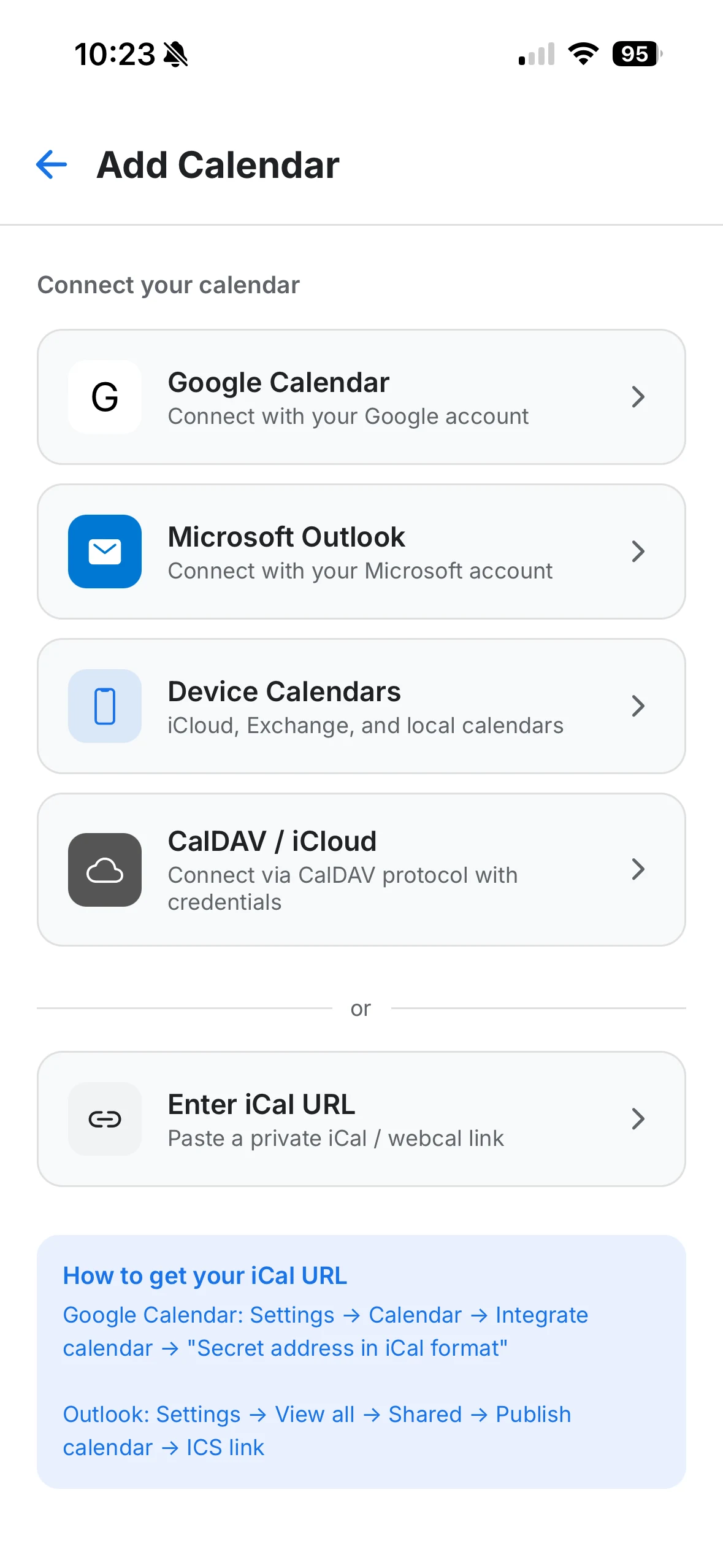
OCTRuTAGoogle, Outlook/Microsoft, iCloud, iPhone calendars and iCal feedsFantasticaliCloud, Google, Microsoft 365, Exchange, CalDAV and more
Booking links
OCTRuTAProFantasticalPremium, through Openings
Scheduling limits
OCTRuTABuffers, minimum notice and daily booking limitsFantasticalBreak time, lead time and daily/weekly/monthly frequency limits
Video conferencing for bookings
OCTRuTAGoogle Meet and Microsoft TeamsFantasticalGoogle Meet, Microsoft Teams, Zoom and Webex
Link-specific Protected Time
OCTRuTAYesFantasticalDifferent availability controls; no directly equivalent feature documented
Find open time across your calendars
OCTRuTAYes, with Find TimeFantasticalAvailability tools and Proposals
Tasks
OCTRuTANoFantasticalYes
Meeting polls
OCTRuTANoFantasticalYes, through Proposals
Platforms
OCTRuTAiPhoneFantasticalMac, iPhone, iPad, Apple Watch, Apple Vision Pro, Windows and additional supported platforms
Feature
OCTRuTA
Fantastical
Free plan
Yes
Yes
Individual paid plan
$4.99/month or $39.99/year
$6.99/month or $56.99/year
Free trial
1 month
14 days
Calendar accounts
Google, Outlook/Microsoft, iCloud, iPhone calendars and iCal feeds
iCloud, Google, Microsoft 365, Exchange, CalDAV and more
Booking links
Pro
Premium, through Openings
Scheduling limits
Buffers, minimum notice and daily booking limits
Break time, lead time and daily/weekly/monthly frequency limits
Video conferencing for bookings
Google Meet and Microsoft Teams
Google Meet, Microsoft Teams, Zoom and Webex
Link-specific Protected Time
Yes
Different availability controls; no directly equivalent feature documented
Find open time across your calendars
Yes, with Find Time
Availability tools and Proposals
Tasks
No
Yes
Meeting polls
No
Yes, through Proposals
Platforms
iPhone
Mac, iPhone, iPad, Apple Watch, Apple Vision Pro, Windows and additional supported platforms
US individual pricing checked November 17, 2026.
When is Fantastical the better choice?
Fantastical is the better choice if you want your calendar to function as a broader productivity system or need the same calendar experience across several devices.
More places to use it
Fantastical is available across Mac, iPhone, iPad, Apple Watch, Apple Vision Pro and Windows, with additional platform support continuing to expand.
OCTRuTA is currently built for iPhone.
If you routinely manage your calendar from your Mac or PC as well as your phone, that difference alone may make Fantastical the better choice.
Tasks built into your calendar
Fantastical supports tasks alongside calendar events, including integrations with services such as iCloud Reminders, Todoist and Google Tasks.
You can see events and dated tasks together, create tasks directly in Fantastical and use its natural-language parser to quickly create both events and tasks.
OCTRuTA currently focuses on calendars and scheduling rather than task management.
Natural-language event creation
Fantastical is especially well known for natural-language input. You can type something like:
Lunch with Sarah Tuesday at 12:30 at Legal Sea Foods
and Fantastical can turn it into a calendar event.
OCTRuTA does not currently offer comparable natural-language event creation.
Meeting polls and RSVP events
Fantastical's Proposals feature lets you suggest several possible meeting times and have invitees indicate which ones work.
Its RSVP feature also supports events with registration, response options, participant limits and deadlines.
OCTRuTA does not currently offer meeting polls or an equivalent RSVP-event system.
More advanced calendar features
Fantastical also includes features such as:
Calendar Sets
Weather forecasts
Travel time
Time-to-leave notifications
Event and task templates
Interesting calendars
Custom event colors
Extensive conference-call integrations
Calendar mirroring
Webhooks and Zapier integrations
If you want a highly customizable calendar and productivity platform, Fantastical offers considerably more functionality today.
Why choose OCTRuTA over Fantastical?
Fantastical offers more features overall. OCTRuTA takes a different approach: keep calendar management straightforward, unify your schedules and make it easy to find and share time without paying for a larger productivity suite.
That makes OCTRuTA about 30% less expensive annually at current US pricing.
If your main reason for upgrading is unified scheduling and booking links rather than tasks, weather and the rest of Fantastical's productivity feature set, that price difference may matter.
A full month to try Pro
OCTRuTA includes a one-month free trial of Pro.
Fantastical Premium currently includes a 14-day free trial.
That gives you more time to connect your calendars, configure booking links and see whether OCTRuTA fits into your daily routine.
Protected Time that can behave differently for different booking links
This is one of the more distinctive parts of OCTRuTA's scheduling system.
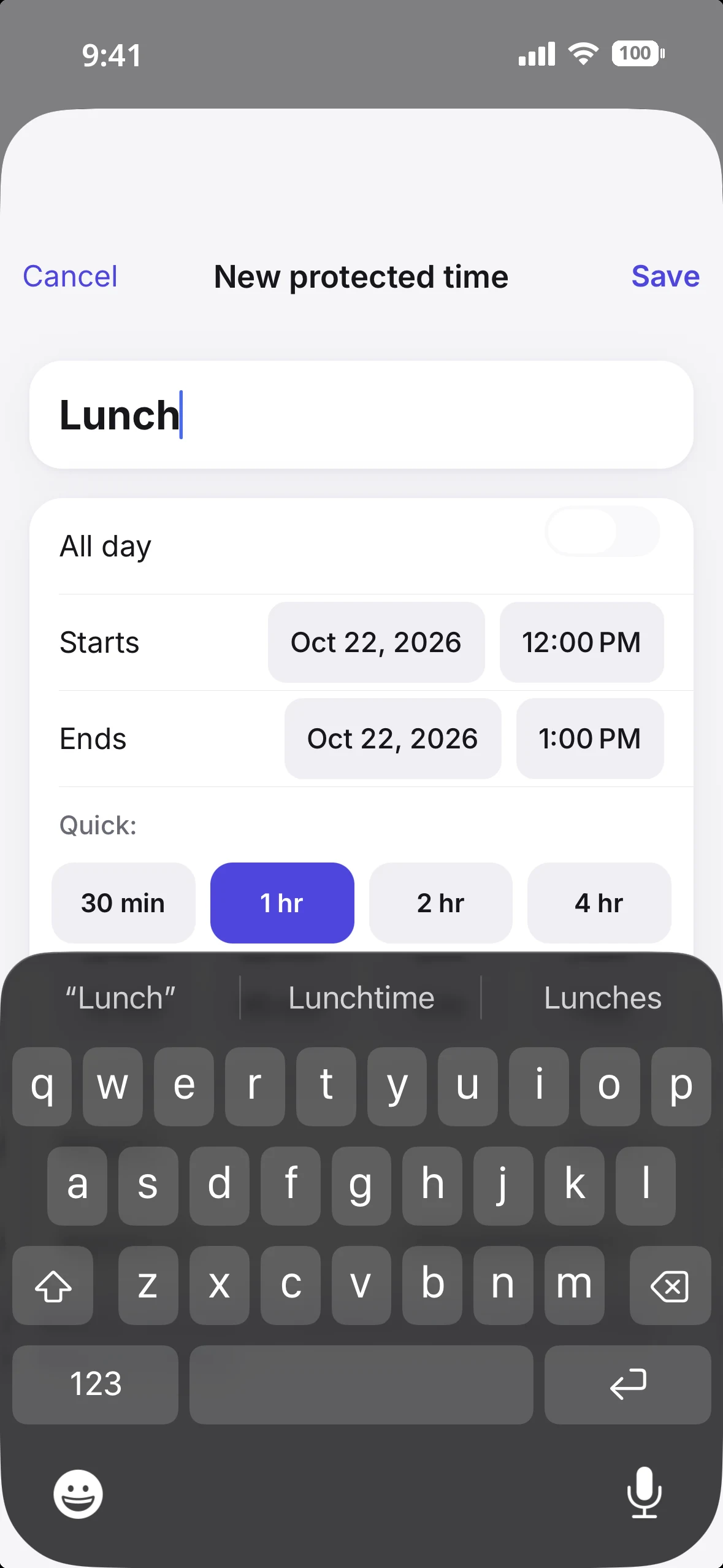
Protected Time lets you define periods such as:
Focus time
Lunch
School pickup
Family time
Commute time
Personal appointments
A Protected Time block can be one-time or recurring.
More importantly, you can decide which booking links the block applies to.
For example, you could protect 3:00–4:00 PM from people using your work consultation link while still allowing that same time to appear on a separate personal booking link.
That gives you another layer of control beyond simply marking the time busy on every calendar.
Find Time across the calendars that matter
OCTRuTA Pro includes Find Time, which searches the calendars you select for conflict-free openings.
Choose:
How much time you need
The date range
Your working hours
The calendars to consider
OCTRuTA returns available windows while also accounting for Protected Time.
Instead of visually comparing several calendars yourself, you can ask OCTRuTA to find the openings.
Built around the work-calendar/personal-calendar problem
A common scheduling problem isn't having too few calendars. It's having too many calendars that don't know about each other.
Your work calendar may say you're available at 3:00 PM while your personal calendar has a dentist appointment, school pickup or family commitment at the same time.
OCTRuTA is designed around solving that problem.
Your booking links can check the Google, Outlook, iCloud and iCal calendars you select before offering a time to someone else.
That means your personal schedule can protect your work availability without requiring you to copy personal events onto your work calendar.
What do you get without paying?
Both OCTRuTA and Fantastical offer useful free versions. You only need to upgrade when you want their premium features, including scheduling links.
OCTRuTA Free
OCTRuTA's free version lets you bring your calendars together on your iPhone.
You can:
Connect Google calendars
Connect Microsoft Outlook calendars
Connect iCloud calendars
View calendars already stored on your iPhone
Add private iCal feeds
See calendars together in Agenda, Day, 3-Day and Month views
Create, edit and delete supported calendar events
RSVP to invitations from supported calendar providers
Add Google Meet or Microsoft Teams links to events
Check invitee availability where supported
Attach images and files to events
Search across your calendars
Use home screen widgets
View calendars shared with you by other OCTRuTA users
Color-code individual calendars
Private iCal feeds are view-only.
Fantastical Free
Fantastical's free tier works with your existing calendar accounts and gives you a polished calendar experience across supported devices.
The free subscription also includes access to Flexibits' Cardhop contacts app.
Premium unlocks Fantastical's broader set of productivity, customization and scheduling features.
How much does each one cost?
If you specifically want booking links, both products require a paid subscription.
OCTRuTA Pro
$4.99/month
$39.99/year
1-month free trial
Flexibits Premium Individual
$6.99/month
$56.99/year
14-day free trial
Flexibits Premium also includes premium features in Cardhop, so the comparison isn't purely calendar-for-calendar. Fantastical also offers Family and Team subscriptions.
If you'll use Fantastical's broader feature set across several devices, its higher price may make sense.
If your primary needs are a unified iPhone calendar and scheduling, OCTRuTA costs less.
How do the booking links compare?
Both OCTRuTA and Fantastical can give you a link that other people use to choose an available meeting time.
Both can check your existing calendar availability so occupied times aren't offered to someone booking you.
And both provide common scheduling controls such as buffers and minimum notice.
Fantastical Openings
Fantastical's Openings is the more mature scheduling platform overall.
Depending on your plan and configuration, it supports features including:
Multiple meeting templates
Different meeting durations
Break time before and after meetings
Lead time
Booking windows and date ranges
Meeting-frequency limits by day, week or month
Google Meet
Microsoft Teams
Zoom
Webex
Additional booking-form questions
Automatic or manual meeting approval
Multiple hosts on Team plans
Webhooks and Zapier integrations
Fantastical also complements Openings with Proposals and RSVP events.
OCTRuTA Booking Links
OCTRuTA's booking links focus on coordinating availability across the different calendars in your life.
Each link can have its own:
Meeting duration
Available hours
Buffer
Minimum notice
Daily booking limit
Destination calendar
Cancellation and rescheduling cutoff
Google Meet or Microsoft Teams option
Availability can be checked against the Google, Outlook, iCloud and iCal calendars you select.
OCTRuTA also places a 10-minute temporary hold on a selected time while someone completes the booking process, helping prevent two people from trying to claim the same slot at once.
The biggest OCTRuTA scheduling difference: Protected Time
Rather than claiming OCTRuTA has more scheduling features overall—it doesn't—the more meaningful difference is how Protected Time works with booking links.
A Protected Time block can apply to some booking links without applying to others.
That can be useful when the same person has different kinds of availability depending on who's trying to book them.
For example:
Work consultation link: 3:00–4:00 PM is protected.
Personal meeting link: 3:00–4:00 PM remains available.
That type of link-specific protected block is central to OCTRuTA's scheduling model.
Connect Google, Outlook or iCloud, then choose which calendars each booking link checks.Protected Time: block an hour and booking links treat it as busy.
One important OCTRuTA limitation
There is one calendar distinction to understand before relying on OCTRuTA booking links.
Calendars that exist only locally on your iPhone can be displayed in OCTRuTA, but they cannot currently be used when calculating booking-link availability.
To include an Apple/iCloud calendar in booking availability, connect your iCloud account directly to OCTRuTA using CalDAV.
Google and Microsoft calendars can also be connected directly.
So:
Viewing calendars: local iPhone calendars are supported.
Checking availability for booking links: use directly connected Google, Microsoft, iCloud or supported iCal calendars.
Which calendar app is better for you?
There isn't one winner for everyone.
Choose Fantastical if…
You use Mac, Windows, iPad or Apple Watch in addition to your iPhone.
You want tasks integrated with your calendar.
You like natural-language event creation.
You want weather, travel time and time-to-leave features.
You need meeting polls.
You want advanced RSVP events.
You want extensive customization.
You need Zoom or Webex scheduling.
You want integrations such as Zapier and webhooks.
You want a mature calendar ecosystem spanning many devices.
Choose OCTRuTA if…
Your calendar life primarily happens on your iPhone.
You maintain several work and personal calendars.
You want to see those calendars together without paying.
You want booking links that account for both your work and personal schedule.
You like the idea of Protected Time that can differ between booking links.
You want Find Time to search your calendars for openings.
You want scheduling without all the additional task-management features.
You want a longer free trial.
You want a lower-cost individual subscription.
Bottom line
Fantastical is the more powerful all-around calendar application. OCTRuTA is the more focused one.
Fantastical has a deeper feature set, supports many more devices and combines calendars, tasks, scheduling, contacts and productivity tools into a larger ecosystem.
OCTRuTA focuses on a narrower problem:
Your life is spread across several calendars. You should be able to see them together and schedule around all of them.
For someone who wants a feature-rich calendar on several platforms, Fantastical is difficult to beat.
For an iPhone user who wants to unify work and personal calendars, find available time and let other people book them without exposing times that aren't really free, OCTRuTA offers a simpler—and less expensive—alternative.
Features and pricing can change. Check each provider's current website or App Store listing before purchasing.
Frequently asked questions
Is OCTRuTA cheaper than Fantastical?
+
Yes, based on current US individual pricing. OCTRuTA Pro is $4.99/month or $39.99/year. Flexibits Premium Individual is $6.99/month or $56.99/year. Both products also offer a free tier.
Does OCTRuTA work on Mac, iPad or Apple Watch?
+
Not currently. OCTRuTA is an iPhone app. People using your OCTRuTA booking links do not need an iPhone or the OCTRuTA app. They can open your booking page in a web browser.
Does OCTRuTA have tasks like Fantastical?
+
No. Fantastical integrates tasks and reminders directly into the calendar experience. OCTRuTA is currently focused on calendars and scheduling.
Does OCTRuTA have meeting polls?
+
No. Fantastical's Proposals feature lets invitees respond to multiple proposed meeting times. OCTRuTA's Find Time feature serves a different purpose: it searches your own selected calendars for available openings.
Can I connect iCloud to OCTRuTA?
+
Yes. Connecting iCloud directly allows OCTRuTA to read the calendar for both your unified calendar view and scheduling availability. An Apple app-specific password may be required for the CalDAV connection.
Can OCTRuTA booking links check my personal calendar and my work calendar?
+
Yes, as long as the calendars are from supported connected services. You can choose which connected Google, Microsoft, iCloud and supported iCal calendars are considered when calculating availability for a booking link. Calendars stored only locally on the iPhone are not currently available for booking-link availability calculations.
Do people booking me need an OCTRuTA account?
+
No. They open your booking link in a browser, see available times in their time zone and select a slot. OCTRuTA temporarily holds the selected time while they complete the booking. Once confirmed, the event is added to your chosen calendar and the guest can add the meeting to their own calendar.