Both are iPhone calendar apps that put Google, Outlook and iCloud in one view, and both include booking links. Pro costs the same on both: $4.99 a month or $39.99 a year. The difference is what you get before you pay, and what each app is built around.
When is Tilly the better choice?
Tilly is the better choice if you want an AI assistant, tasks and notes in your calendar app, or need it on a Mac or the web.
More places to use it. Tilly runs on iPhone, Mac and the web. OCTRuTA is iPhone-only for now.
AI planning. Tilly has an AI assistant, a morning brief, tasks and notes. OCTRuTA is a calendar and scheduling app, without an AI layer.
Why choose OCTRuTA over Tilly?
Choose OCTRuTA if you want a free calendar app with unlimited calendars, and a full month to try Pro instead of seven days.
A free plan. OCTRuTA's calendar app is free, with unlimited connected calendars. Tilly has no free plan for new accounts; you start with a 7-day trial of Tilly Pro.
A longer trial. OCTRuTA Pro is free for your first month. Tilly's trial is 7 days.
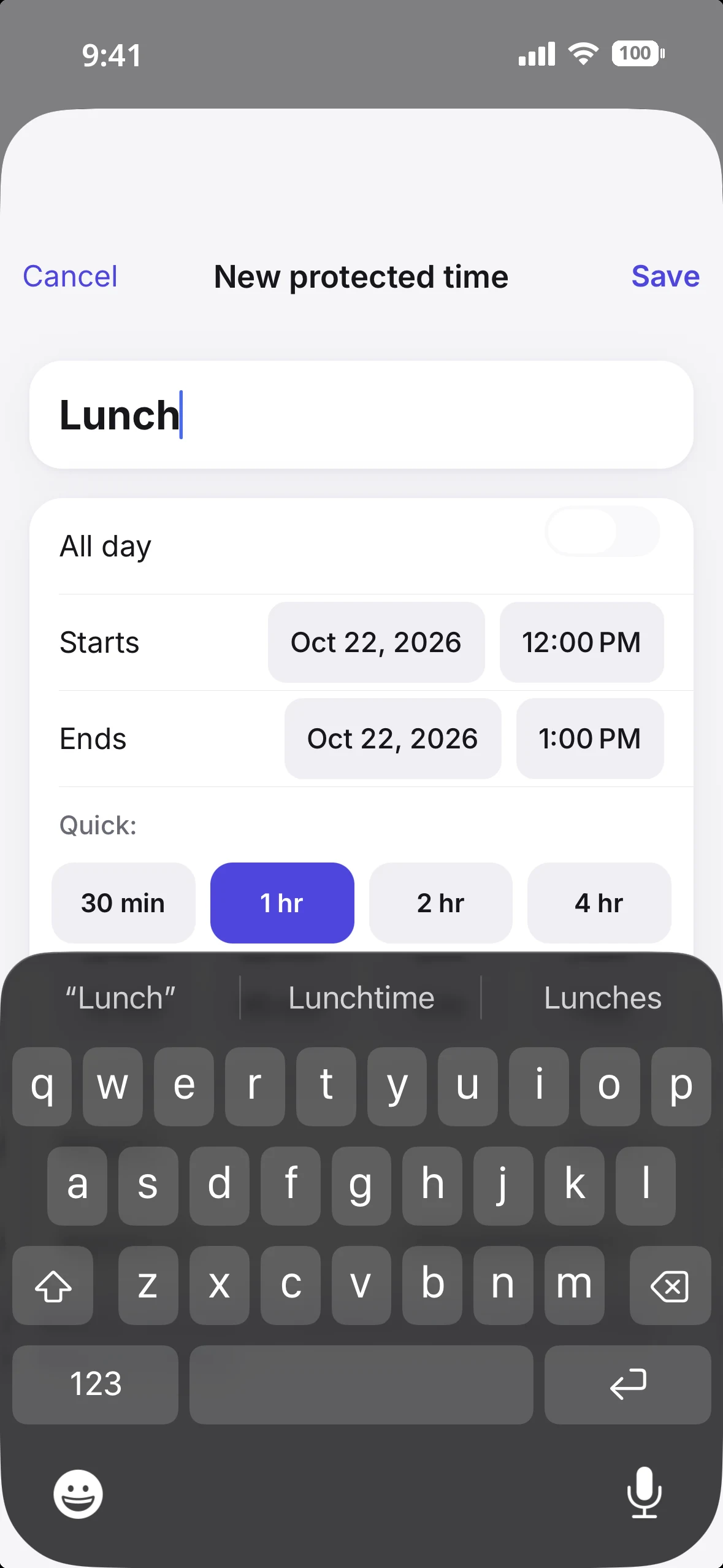
Protected Time per booking link. Choose which booking links each protected block applies to, so family time can stay hidden on your work link and open on a personal one.
Calendar sharing. Share any of your calendars read-only, as availability only or with full details.
Connect unlimited Google, Outlook, iCloud and iPhone calendars plus iCal feeds
Month, 3 Days, Day and Agenda views
Create, edit and delete events on any of them
Search across every calendar
Home screen widgets and offline viewing
View calendars others share with you
Tilly: new accounts start with a 7-day trial of Tilly Pro, then pay. Accounts created before Tilly Pro launched keep a legacy free plan with 2 calendar accounts.
What does a year cost?
If you want booking links, both cost $39.99 a year. If you only want every calendar in one view, OCTRuTA costs nothing.
OCTRuTA Pro and Tilly Pro are both $4.99 a month or $39.99 a year. OCTRuTA's trial runs a full month. Tilly's runs 7 days, with billing starting on day 7 unless you cancel.
Protected Time you can apply to some booking links and not others
Google Meet or Microsoft Teams links created automatically for each booking
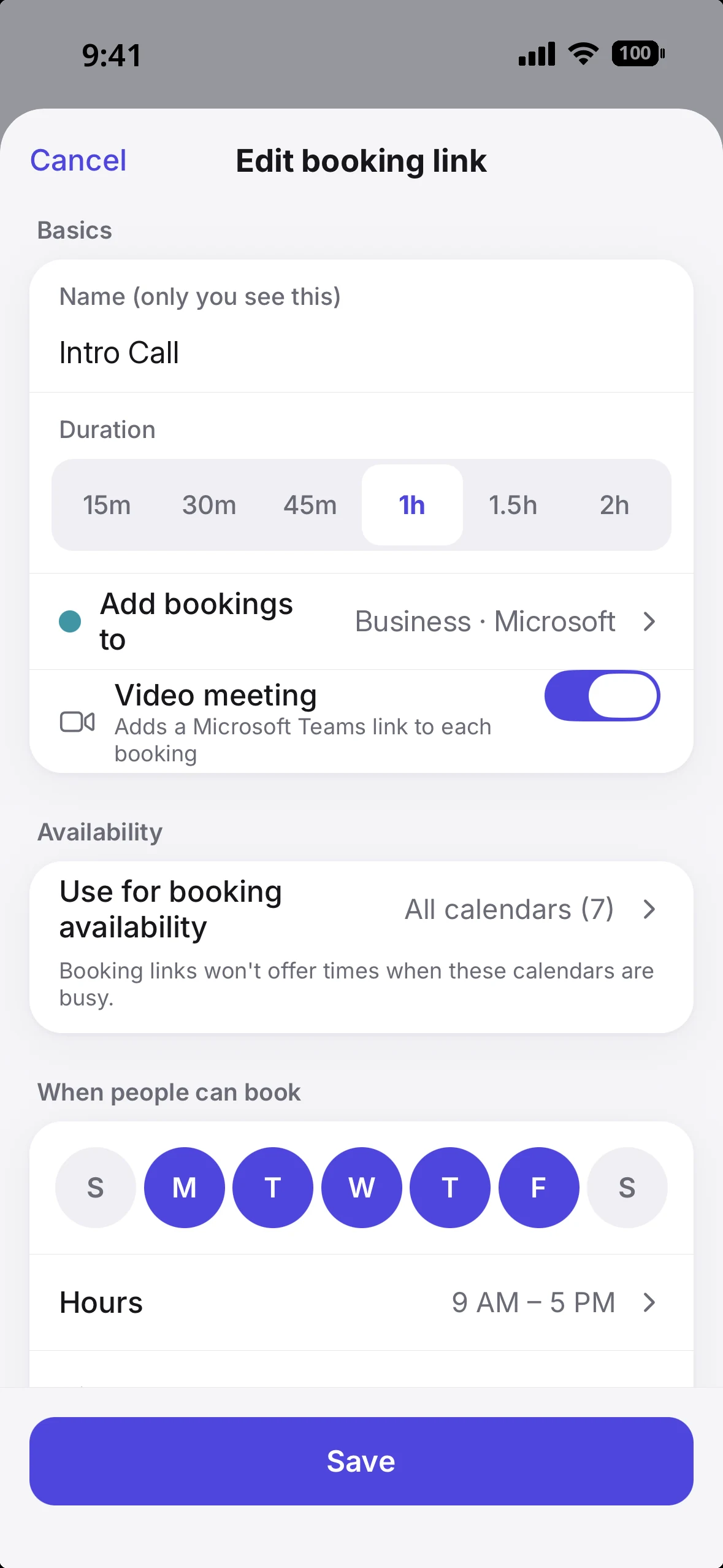
OCTRuTA booking link settings: length, where bookings land, an automatic Teams link, and which calendars count as busy.Protected Time: block an hour and booking links treat it as busy.
Which one fits you?
Pick by what you want the app to do for you.
You want help planning your day. Tilly's assistant suggests times for tasks, writes a morning brief, and works on Mac and the web. Tilly.
You mainly want every calendar in one view, free. OCTRuTA.
You share a family calendar and take bookings for work. OCTRuTA: protect family time on your work link while leaving it open on a personal one.
You plan from a laptop all day. Tilly, for now; OCTRuTA is iPhone-only.
What's the catch with OCTRuTA?
OCTRuTA booking links can't check calendars that live only on your iPhone. Connect iCloud with CalDAV, or connect Google or Outlook directly, to include them. And OCTRuTA is iPhone-only for now.
New bookings are added to a Google or Outlook calendar you choose, so you need one of those connected to take bookings. iCloud can be checked for busy time, but it isn't a destination for new bookings. Some employers require IT approval before apps can connect to a work Microsoft 365 or Google Workspace calendar; if yours does, ask IT to approve OCTRuTA or use a published calendar link instead. Booking links and new events can add Google Meet or Microsoft Teams links automatically. Zoom links already on your calendar open fine, but OCTRuTA doesn't create Zoom links yet.
Pro is the same price, $4.99 a month or $39.99 a year. The difference is that OCTRuTA's calendar app is free with unlimited calendars, and Pro's trial runs a full month.
Does OCTRuTA have AI features?
+
No. OCTRuTA is a calendar and scheduling app. If you want an AI assistant, tasks and notes in the same app, Tilly is built for that.
Can I use OCTRuTA on my Mac?
+
Not yet. OCTRuTA is iPhone-only for now. Your booking links work in any browser for the people booking you.
Can I connect iCloud to OCTRuTA?
+
Yes, through CalDAV with your Apple ID and an app-specific password, and your booking links can check it.
Do the people booking me need an account?
+
No. They open your link in any browser, see open times in their own time zone, and get a 10-minute hold on the slot while they fill in their details. Once they confirm, the event lands on your calendar and they get a calendar file to add it to theirs.